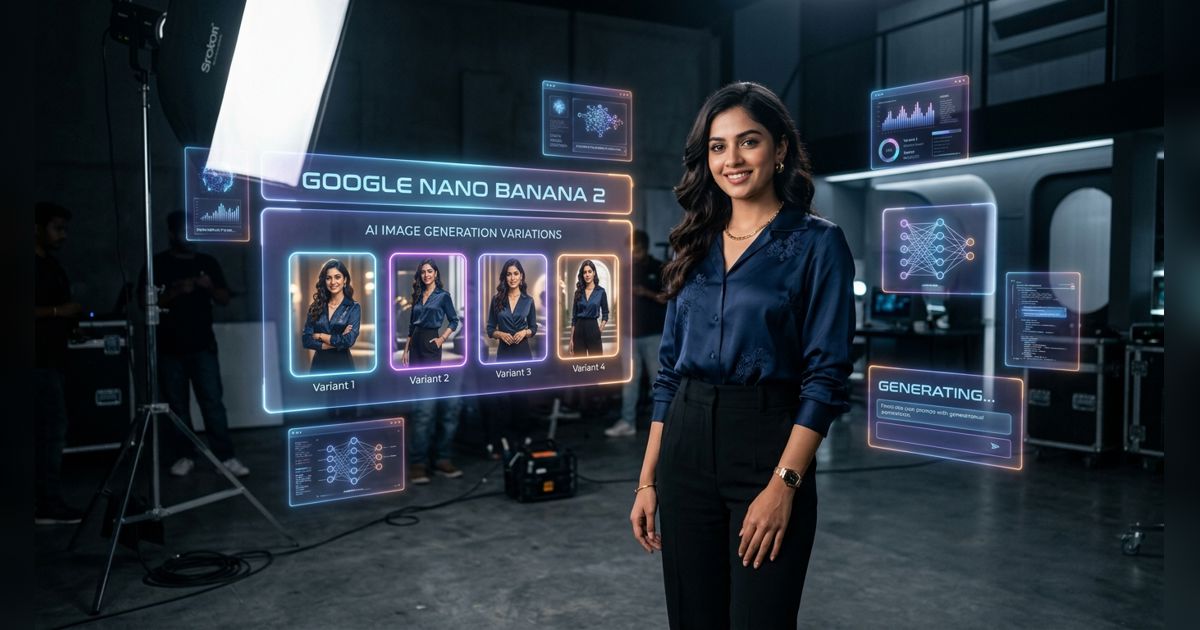
Artificial intelligence has completely changed how we create professional-looking photos. Whether you're a model, entrepreneur, content creator, or small business owner, an AI photoshoot lets you generate high-quality images without expensive studios, lighting equipment, or hours of shooting time. The results can look incredibly realistic and tailored exactly to your vision.
Why AI Photoshoots Are Growing So Fast
Traditional photoshoots involve high costs, scheduling challenges, and post-production work. AI removes most of these barriers. You can now create consistent, on-brand images across different outfits, locations, and moods in minutes. Many professionals now use AI-generated photos for LinkedIn profiles, e-commerce product shots, fashion portfolios, and social media content.
The technology has improved dramatically in the past year. Modern AI models understand lighting, posing, facial expressions, and fashion details at a level that often rivals professional photography.
Best AI Tools for Photoshoot-Style Images
Google Nano Banana & Nano Banana 2 – Best for Speed and Realism
Google's Nano Banana (and its newer Nano Banana 2) have become standout performers for realistic AI photoshoots. Built into Gemini, Nano Banana 2 excels at fast generation, natural skin tones, accurate clothing details, and excellent prompt understanding. Its strong photo editing capabilities let you upload a base image and transform it into completely different scenes, outfits, or lighting conditions while keeping the same person consistent.
Many creators prefer Nano Banana 2 for professional headshots and lifestyle photography because of its speed and native integration with Google tools. The model handles complex lighting instructions particularly well and produces images with fewer artifacts compared to earlier versions.
Flux.1 and Leonardo AI – Strong Contenders for Photorealism
Flux.1 Pro continues to deliver excellent photorealistic results, especially for dramatic and editorial-style shots. Leonardo AI offers powerful character consistency features, making it easier to maintain the same face across an entire AI photoshoot series.
Midjourney – Best for Creative & Cinematic Shots
Midjourney remains the go-to choice when you want artistic, high-fashion, or cinematic AI photoshoots. It produces images with strong mood and unique compositions that stand out.
Specialized AI Headshot & Portrait Tools
- Aragon AI & Try It On: Perfect for polished corporate and LinkedIn headshots.
- Generated.Photos & BetterPic: Great for building consistent personal branding libraries.
- Phot.AI: Good for dynamic lifestyle and fashion photography.
How to Run a Successful AI Photoshoot
Start with a clear concept. Decide on the mood, lighting style, outfits, and locations. Good prompts usually include subject description, pose, clothing, environment, lighting, camera angle, and photographic style. For example: "A confident 30-year-old Indian woman in a cream-colored blazer standing in a sunlit modern cafe, soft natural lighting, shot on Sony A7R IV, 85mm lens, professional photoshoot style."
Nano Banana 2 particularly shines when you give it detailed lighting and mood references. Use its image editing features to refine generated shots — changing backgrounds or outfits without losing facial consistency.
Pro Tips for Realistic AI Photoshoot Results
Key Advice: Always describe lighting specifically. Mention golden hour, soft diffused window light, dramatic rim lighting, or studio key lights. Nano Banana 2 responds especially well to precise lighting instructions.
Generate multiple variations and use the best ones as reference images for further generations. Combine tools — use Nano Banana 2 for realistic base images and Midjourney for more creative concepts.
Comparison of Top AI Photoshoot Tools
| Tool | Best For | Photorealism | Speed & Editing | Consistency | Pricing |
|---|---|---|---|---|---|
| Google Nano Banana 2 | Realistic & fast photoshoots | Excellent | Very Fast + Strong Editing | Very Good | Free tier + Gemini subscription |
| Flux.1 Pro | High-detail portraits | Outstanding | Fast | Good | Paid |
| Leonardo AI | Character consistency | Excellent | Medium | Excellent | Freemium |
| Midjourney | Creative & fashion | Very Good | Medium | Good | Subscription |
Ethical Considerations and Best Practices
Transparency matters. Clearly mention when images are AI-generated, especially for commercial or professional profile use. Nano Banana 2 automatically adds invisible watermarks, which helps with responsible disclosure.
Use AI photoshoots as a powerful creative tool while respecting copyright and avoiding unauthorized use of real people's likenesses. The best creators often combine AI generation with selective traditional retouching.
Future of AI in Photography
With models like Nano Banana 2, we're seeing faster iteration and more natural results than ever before. The gap between AI-generated and traditionally shot professional photos continues to shrink rapidly.
Learning to direct these tools effectively — especially Google's Nano Banana series — is becoming a valuable skill for creators, marketers, and professionals who need high-quality visuals on demand.
Getting Started With Your First AI Photoshoot
Try Google Nano Banana 2 first through Gemini — it's accessible and delivers great results quickly. Experiment with different lighting descriptions and poses. Save your best prompts so you can reuse and refine them for future sessions.
The more you practice, the better you'll get at creating entire professional AI photoshoots that look polished and authentic. Many people are now producing complete visual libraries for their brand in a single afternoon.
Have you tried Google Nano Banana 2 for your photoshoots yet? Which AI tool gives you the best results? Share your experiences and favorite prompts in the X.